Microsoft Teams Rooms Device Buying Guide for UAE Businesses 2026
Which Teams Rooms hardware to buy for which room size, how to think about Pro vs Basic licensing, and the cabling and acoustics decisions most UAE businesses get wrong.
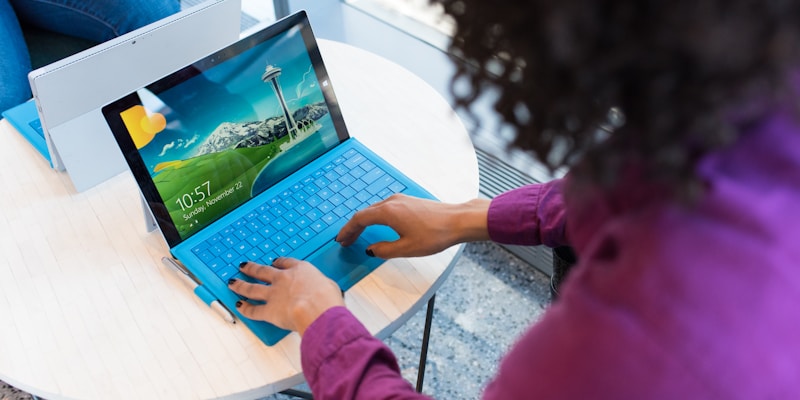
Microsoft Teams Rooms (MTR) is Microsoft's certified meeting-room category: dedicated touch consoles, room cameras, speakerphones, and large displays running Teams natively. For UAE businesses standardising on Teams for collaboration, MTR is the difference between a room that works on the first try and a room that is awkward every meeting.
This guide is a practical buying decision for UAE IT leaders: what to put in each room size, how to choose between Pro and Basic licensing, the cabling and acoustics decisions that matter, and the failure modes to plan for.
The room-size mapping
Focus rooms (1 to 2 people)
- Single display (32 to 43 inches).
- All-in-one bar (camera, mic, speaker) like Logitech MeetUp or Poly Studio X30.
- Touch console on the table.
Use case: phone booths, single-person video rooms, executive offices. Cheapest tier; quick to deploy.
Small rooms (3 to 6 people)
- Single display (55 inches typical).
- All-in-one bar like Logitech Rally Bar Mini, Poly Studio X50, or Yealink MVC 640.
- Touch console.
Use case: huddle rooms, small meeting rooms. The most common deployment.
Medium rooms (7 to 12 people)
- Single or dual display (65 inches typical, often dual for content + people).
- Modular system: room camera (Logitech Rally Plus, Poly Studio Eagle Eye), separate microphone array (ceiling-mounted or table pods), separate speakers.
- Touch console.
- Dedicated MTR compute (Lenovo ThinkSmart Core, Yealink MCore, Crestron Flex compute).
Use case: typical meeting rooms in offices. The room size where good design starts to matter for participant experience.
Large rooms (13 to 25 people, including boardrooms)
- Dual large displays (75 to 86 inches).
- Multi-camera setup: room camera plus speaker-tracking PTZ camera.
- Ceiling-mounted microphone arrays (Shure MXA920, Sennheiser TeamConnect).
- Dedicated audio DSP (Crestron, Q-SYS).
- Touch console plus optional secondary table consoles.
- Often integrated with room AV (in-room projection, OS for control, room scheduling panel outside).
Use case: boardrooms, executive briefing rooms, training rooms. Large investment per room; pick the audio carefully, it dominates the user experience.
Extra-large rooms (25+, town halls, all-hands)
- Multiple displays.
- Multiple cameras with director switching (Logitech Sight, Crestron auto-tracking).
- Multiple ceiling mic arrays.
- Integrated AV with sound reinforcement.
- Often a hybrid setup with both Teams and a live-streaming production layer.
Use case: company town halls, large training events. Less standard, more bespoke design work.
Hardware vendors: what we see deployed in UAE
The certified MTR ecosystem is large. The brands that dominate UAE installations:
- Logitech: broadest range, strongest in small to medium rooms. Rally Bar family is the most-deployed bar in UAE.
- Poly (HP): strong audio heritage. Studio X family popular in small to medium rooms.
- Yealink: competitive pricing, good build. MeetingBar A and MVC families are commonly deployed in cost-sensitive contexts.
- Crestron: premium tier for large rooms and boardrooms. Flex C, Flex M families.
- Neat: European challenger, modern aesthetic, strong in design-conscious offices.
- Lenovo (ThinkSmart): compute and console platform, often paired with cameras and microphones from above brands.
Pick by room size first, then vendor. Mixing brands within a single room is supported (Microsoft certifies combinations) but adds complexity. Standardising on 1 or 2 vendors across the estate simplifies sparing, support, and training.
Teams Rooms Basic vs Pro licensing
The two SKUs:
- Teams Rooms Basic: included with Microsoft 365 E5 / E3 (or as standalone). Core MTR functionality: native Teams calling, content sharing, presence, scheduling. Limited management features.
- Teams Rooms Pro: additional licence per room. Adds remote management portal, advanced reporting, intelligent capture features (people recognition, content cameras with AI), proactive monitoring, advanced device security.
Rule of thumb: Basic is fine for 1 to 5 rooms. Above 5 rooms, Pro pays for itself in management overhead saved. Pro is the standard for any business serious about Teams Rooms at scale.
Cabling and infrastructure decisions
Most MTR problems trace to infrastructure, not Teams. Plan these properly:
Power
- Each room needs at least 4 to 6 power outlets near the AV equipment.
- PoE switches for cameras and microphones where supported (cleaner than separate power).
- UPS for the compute and core AV; you do not want a power glitch to kill a board meeting.
Network
- Wired ethernet to the compute, displays, and any microphone array DSP.
- Dedicated VLAN for AV equipment, separate from corporate user traffic.
- QoS rules favouring Teams traffic (it is sensitive to jitter and packet loss).
- Bandwidth: a single HD Teams call uses about 4 Mbps; reserve 8 to 12 Mbps per room as a budget.
HDMI and content sharing
- Wired HDMI cable from the table to the display for laptop sharing, with an active extender for runs over 5 metres.
- Wireless content sharing via Teams (preferred) or HDMI for guests.
Acoustics
- Carpet, acoustic panels, soft furnishings. Glass-walled rooms reflect sound and ruin audio experience.
- Microphone placement: ceiling-mounted in medium and large rooms; close-up table pods in small rooms.
- Speaker placement: avoid placing speakers near microphone arrays to prevent feedback.
If you skip acoustics, the room will work but everyone on the other end will struggle. Acoustics is the cheapest investment with the biggest UX return.
Deployment sequence
- Site survey: measure room dimensions, take photos, document existing AV, network drops, power.
- Design: pick hardware per room based on size and use; create cabling diagrams; specify acoustics improvements.
- Procurement: order with local distributor; lead times in the UAE are typically 2 to 6 weeks for major brands.
- Install: cabling, mounting, network configuration, MTR provisioning to your Teams tenant.
- Acceptance test: end-to-end call quality, content sharing, scheduling, all participants. Capture issues.
- Hand over to users: short training, one-page quick start, room schedule activation.
- Ongoing management: monitoring via Teams Rooms Pro management portal, firmware updates, periodic acoustics review.
Typical timeline for a single medium room: 3 to 6 weeks from order to acceptance. For an entire office of 10 to 30 rooms: 3 to 6 months phased install.
The most common UAE installation mistakes
- Buying for the room dimensions on paper, not the room as built. Glass walls, high ceilings, irregular shapes change everything. Site-survey first.
- Skipping acoustics treatment to save budget. Audio quality from the far side becomes "always have to ask people to repeat." Worst UX.
- Not standardising on 1 or 2 vendor stacks. Each room becomes its own bespoke install; sparing becomes impossible.
- Forgetting the user training. Teams Rooms is intuitive but specific. Show people how to start a meeting, share content, end the call. 30 minutes per team.
- Treating it as a one-time install. Firmware updates, room layouts change, new features release. Plan for ongoing management.
FAQs
How much should we budget per room?
Wide range. Focus rooms can be deployed at the low end; boardrooms can reach an order of magnitude higher. We scope per room during site survey and provide quote at request, not in advance. UAE distributor pricing is competitive with European and US benchmarks for the top brands.
Can we use Teams without Teams Rooms hardware?
Yes, for laptops or BYOD setups. Teams Rooms hardware exists because room-based meetings need the AV layer to be a dedicated experience (one-touch start, room camera framing, table-aware audio). Without MTR hardware, every meeting begins with someone fumbling for a laptop, an HDMI cable, and a USB speakerphone. MTR makes the room a first-class meeting endpoint.
What about Zoom Rooms or Cisco Webex?
Both compete. Zoom Rooms is mature and runs on similar certified hardware. Cisco Webex is strong in installations already on Cisco AV. For UAE businesses standardised on Microsoft Teams, MTR is the natural choice. If you run multiple platforms, some certified hardware (Logitech, Poly, Yealink) supports MTR and Zoom Rooms on the same device with a mode switch.
How do we handle remote sites with limited IT support?
Teams Rooms Pro management portal provides remote diagnostics, firmware push, room health monitoring. Combined with a local AV partner for hands-on issues, you can run MTR rooms across multiple UAE emirates with minimal in-emirate IT presence.
Can we mix MTR Windows and MTR Android in the same tenant?
Yes. Many UAE businesses run Windows-based MTR in larger boardrooms (more flexibility, integration with peripherals) and Android-based MTR in smaller rooms (simpler, lower cost). Management surface is unified in Teams admin.
If you want a site survey and Teams Rooms design for your UAE offices, contact us or call +971 56 613 2743. We have deployed MTR across UAE businesses in offices ranging from 6 rooms to 80 rooms across multiple sites.
Related Articles
What is Video Conferencing? A Complete 2026 Guide for UAE Businesses
Video conferencing is real-time audio plus video communication between two or more locations over the internet. A plain-language explanation of how it works, the platforms UAE businesses actually use, and how to choose between them.
What is Unified Communications? A 2026 Guide for UAE Businesses
Unified Communications (UC) is the integration of voice, video, chat, presence, and meetings into a single platform that works across devices and locations. Here is what UC actually includes in 2026, the difference between UC and UCaaS, the major platforms (Teams, Webex, Zoom Phone), and how UAE businesses should choose.